Business Gmail Account: Complete Setup Guide 2026
April 21, 2026
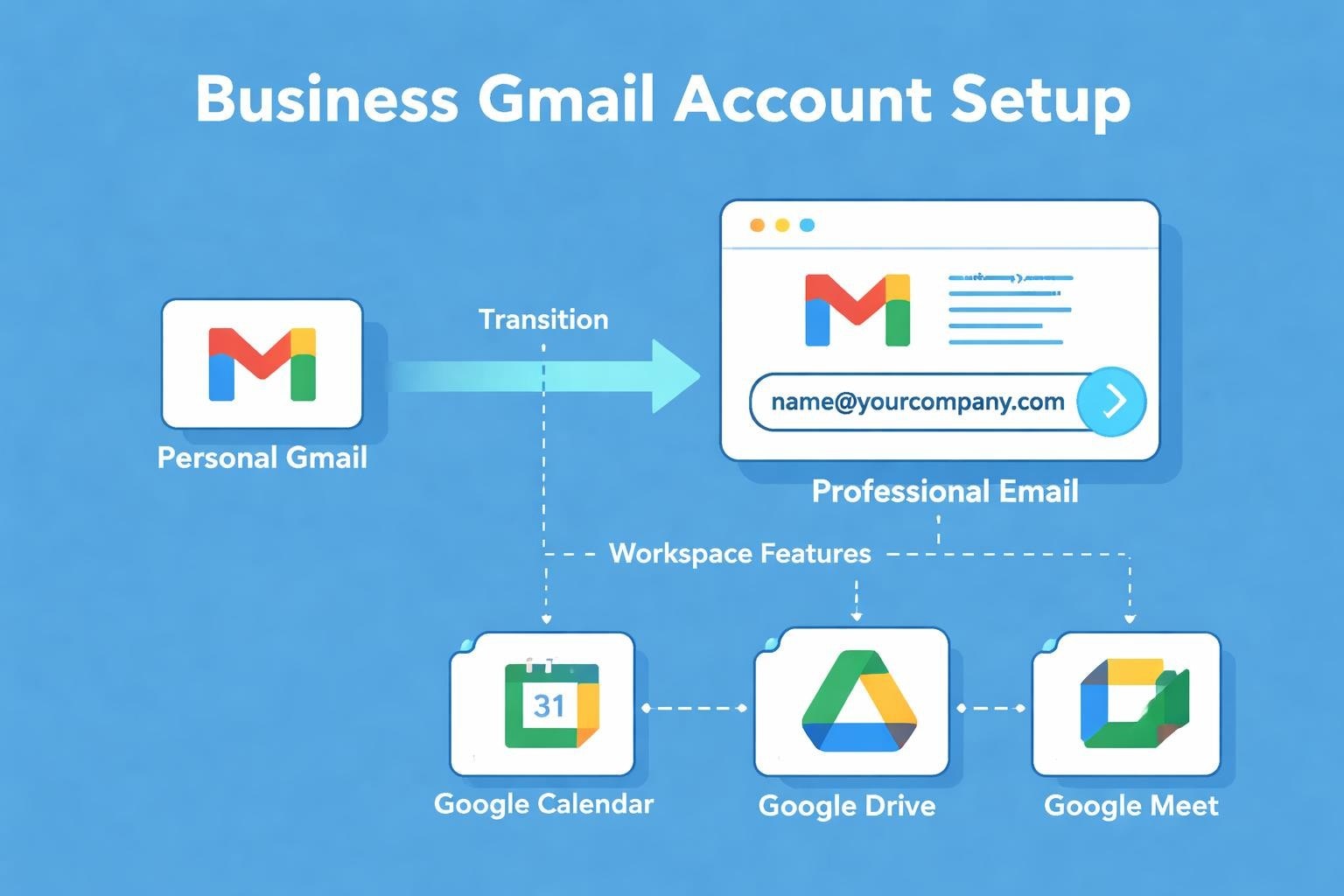
A professional email address represents your brand identity and builds trust with customers from the very first interaction. Setting up a business Gmail account transforms your communication strategy, offering small businesses access to enterprise-grade tools without the complexity of traditional email systems. Whether you're launching your first venture or upgrading from a free personal account, understanding how to leverage Google Workspace effectively can streamline operations and enhance credibility. This guide explores everything from initial setup to advanced features that help small businesses compete professionally in today's digital marketplace.
Understanding Business Gmail Accounts
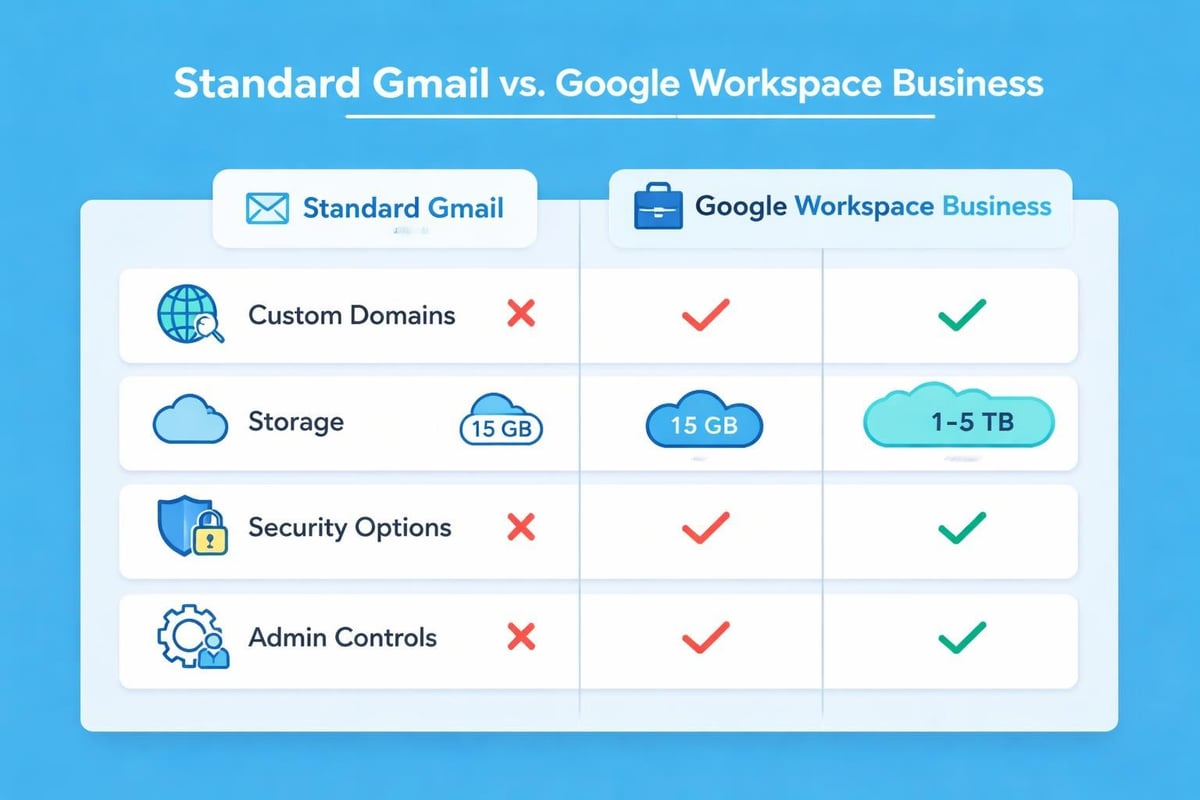
A business Gmail account differs fundamentally from standard consumer Gmail. Whilst both operate on Google's reliable infrastructure, the business version provides custom domain addresses, enhanced storage, administrative controls, and professional collaboration tools.
Custom domain integration stands as the primary distinguishing feature. Instead of [email protected], you'll use [email protected], which instantly elevates your professional image. This seemingly simple change significantly impacts how prospects perceive your legitimacy.
Key Features for Small Businesses
The business Gmail account offers capabilities specifically designed for growing companies:
- Advanced security protocols including two-factor authentication and security keys
- Centralised administration for managing multiple team members
- 99.9% uptime guarantee ensuring reliable communication
- Enhanced storage options ranging from 30GB to unlimited
- Integrated collaboration tools including Calendar, Meet, and Drive
- Mobile device management for secure access across platforms
Small businesses benefit from these features without requiring dedicated IT infrastructure. The platform scales naturally as your team grows, accommodating additional users through flexible pricing plans that align with operational needs.
Setting Up Your Business Gmail Account
Creating your first business Gmail account requires several strategic decisions. Begin by securing your domain name through Google Domains or any reputable registrar. Choose something memorable that reflects your brand identity and industry positioning.
Domain Verification Process
Google requires proof of domain ownership before activating your business Gmail account. This verification protects against unauthorised access and ensures legitimate business operations.
| Verification Method | Difficulty Level | Time Required |
|---|---|---|
| TXT Record | Moderate | 10-15 minutes |
| HTML File Upload | Easy | 5 minutes |
| Meta Tag | Easy | 5 minutes |
| Domain Name Provider | Easiest | 1-2 minutes |
Most administrators prefer the TXT record method for its reliability and permanence. Access your domain registrar's DNS settings, add the unique verification code Google provides, and wait for propagation. This typically completes within minutes but can occasionally take up to 72 hours.
Once verified, configure MX records directing email traffic to Google's servers. These records determine where messages sent to your domain actually arrive. Update your domain's MX records with Google's specific server addresses, following their detailed instructions precisely.
Initial Configuration Steps
After technical setup completes, personalise your business Gmail account settings:
- Create your primary administrative account with a secure, complex password
- Configure security settings including two-factor authentication
- Add your company logo to customise the interface
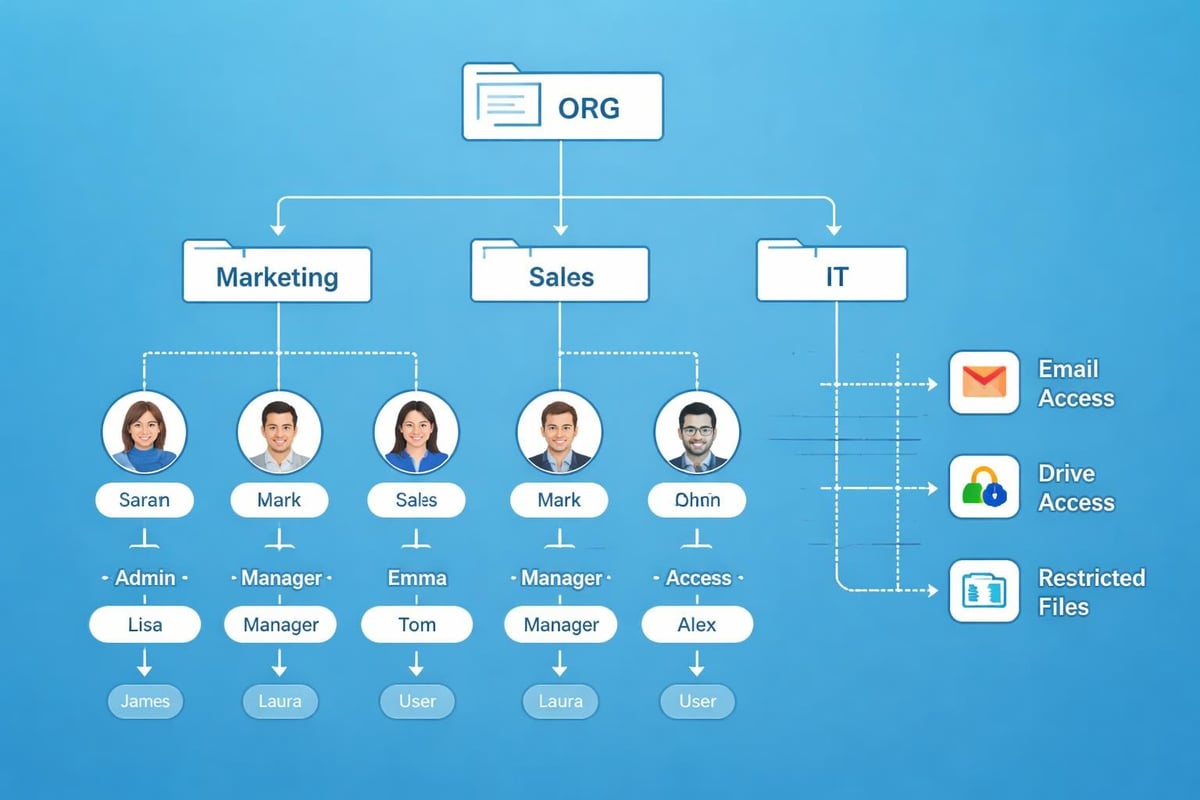
- Establish organisational units for different departments or teams
- Set up email aliases for departments like info@, support@, or sales@
- Configure mobile access on iOS and Android devices
The administrative console provides granular control over every aspect of your business Gmail account environment. Spend time familiarising yourself with these settings to maximise security and functionality.
Managing Multiple Users and Permissions
As your business expands, adding team members to your business Gmail account becomes essential. Google Workspace accommodates unlimited users (depending on your plan), each with customisable permissions and access levels.
Role-based access control ensures employees only access tools relevant to their responsibilities. Create organisational units mirroring your company structure-marketing, sales, operations-then apply specific policies to each group.
User License Types
Different team members require different capabilities:
- Business Starter: Basic email and collaboration for £4.60 per user monthly
- Business Standard: Enhanced features including recording capabilities for £9.20 per user monthly
- Business Plus: Advanced security and compliance tools for £15.60 per user monthly
- Enterprise: Custom solutions with unlimited storage and advanced analytics
Small businesses typically begin with Business Starter, upgrading selectively as specific features become necessary. This approach controls costs whilst maintaining professional communication standards similar to those offered by specialised email marketing platforms.
Monitor usage patterns through the admin console to identify when upgrades deliver meaningful value. The reporting dashboard tracks storage consumption, security events, and feature adoption across your organisation.
Security Best Practices
Protecting your business Gmail account from unauthorised access requires multiple defensive layers. Email accounts represent prime targets for cybercriminals seeking customer data, financial information, or network entry points.
Essential Security Measures
Implement these fundamental protections immediately:
- Mandatory two-factor authentication for all user accounts
- Strong password policies requiring minimum complexity and regular updates
- Security keys for high-privilege administrative accounts
- Advanced phishing and malware protection enabled by default
- Data loss prevention rules monitoring sensitive information sharing
- Mobile device policies requiring encryption and remote wipe capabilities
Configure alerts for suspicious activities like unusual login locations or multiple failed authentication attempts. The security dashboard consolidates these notifications, enabling rapid response to potential threats.
Regular security audits identify vulnerabilities before exploitation occurs. Review user permissions quarterly, removing access for departed employees and adjusting roles for transferred staff. This housekeeping prevents abandoned accounts from becoming security liabilities.
Email Authentication Protocols
Technical email authentication prevents spoofing and improves deliverability. Configure these DNS records for your business Gmail account:
| Protocol | Purpose | Priority Level |
|---|---|---|
| SPF | Authorises sending servers | Critical |
| DKIM | Adds digital signatures | Critical |
| DMARC | Specifies handling of failed authentication | Important |
| BIMI | Displays brand logo in inboxes | Optional |
These protocols work together, building trust with recipient mail servers and reducing the likelihood messages land in spam folders. Proper configuration proves particularly important for businesses running email marketing campaigns, where deliverability directly impacts revenue.
Integration with Business Tools
Your business Gmail account functions as a central hub connecting various operational systems. Native integrations with Google's productivity suite provide immediate value, whilst third-party connections extend functionality to specialised applications.
Google Calendar integration automatically creates meeting invitations from email conversations. Click suggested times within messages to generate calendar events instantly, reducing scheduling friction and missed appointments.
Drive attachment handling stores large files in cloud storage rather than consuming mailbox space. Recipients access current versions automatically, eliminating confusion from outdated attachments circulating through reply chains.
Third-Party Application Connections
Extend your business Gmail account capabilities by connecting:
- Customer relationship management systems syncing contact information and communication history
- Project management platforms creating tasks directly from email requests
- Accounting software tracking invoices and payment confirmations
- Marketing automation tools triggering campaigns based on customer interactions
- Help desk systems converting support emails into tracked tickets
Most integrations authenticate through Google's secure OAuth protocol, granting specific permissions without sharing your actual password. Review connected applications periodically, revoking access for unused services that accumulate over time.
For small businesses focused on customer communication, integrating your business Gmail account with email marketing platforms streamlines campaign management. Tools like professional email marketing software complement transactional Gmail usage with broadcast capabilities and audience segmentation.
Mobile Access and Productivity
Modern business demands email access regardless of physical location. Your business Gmail account provides full functionality across smartphones and tablets through native applications and third-party clients.
The official Gmail mobile app offers the most comprehensive feature set:
- Smart compose and reply suggesting contextually relevant responses
- Snooze functionality deferring messages until convenient times
- Priority inbox highlighting important communications automatically
- Offline access reading and composing when connectivity drops
- Unified inbox managing multiple accounts from a single interface
Configure notifications strategically to maintain responsiveness without constant interruptions. Set VIP contacts whose messages warrant immediate alerts, whilst batching others for scheduled review periods.
Productivity Shortcuts
Master these time-saving techniques to process email efficiently:
- Keyboard shortcuts (enable in settings) for rapid triage and organisation
- Canned responses for frequently asked questions and standard replies
- Email templates maintaining brand consistency across team communications
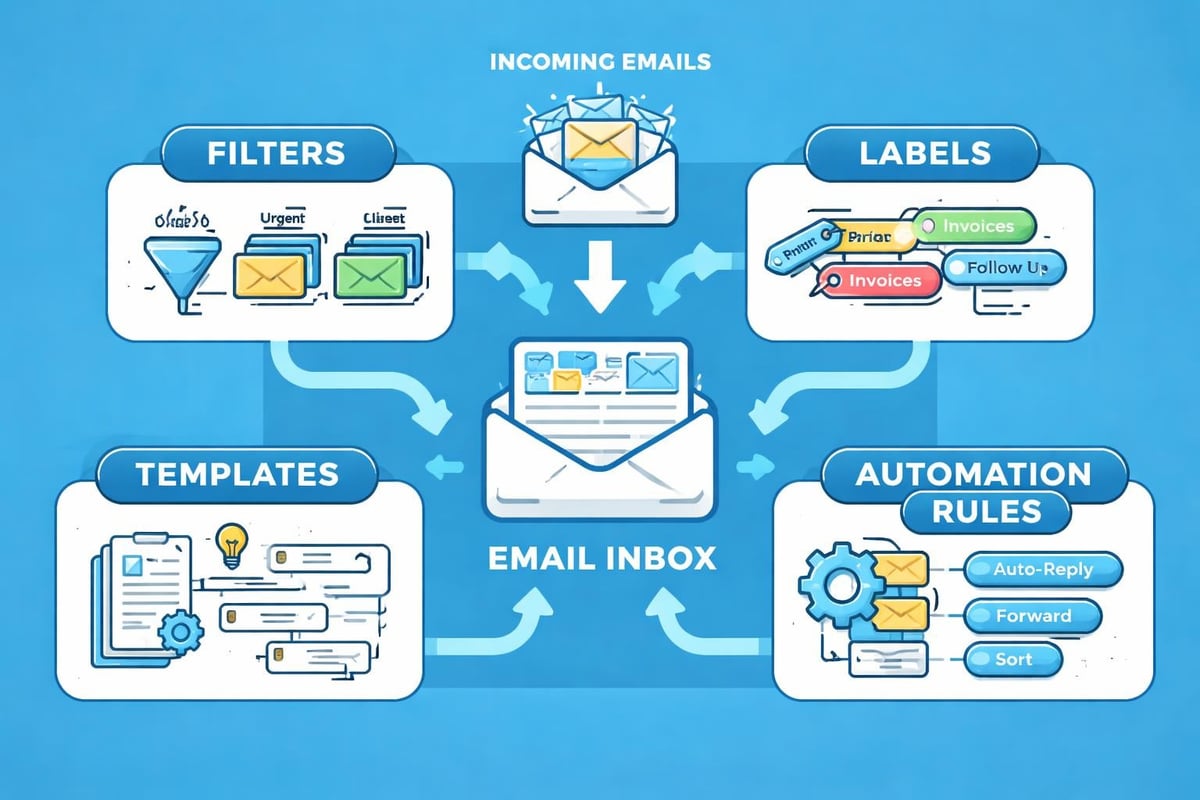
- Filters and labels automatically organising incoming messages by project, client, or priority
- Send scheduling composing messages immediately but delivering at optimal times
These features transform your business Gmail account from simple communication tool into productivity multiplier. Teams processing hundreds of daily messages recover substantial time through thoughtful automation and organisation.
Migration from Existing Email Systems
Transitioning to a business Gmail account from legacy providers requires careful planning to avoid communication disruptions. Whether moving from another hosted service, on-premise Exchange servers, or basic web hosting email, Google provides migration tools supporting most scenarios.
Migration Planning Checklist
Successful transitions follow structured approaches:
- Audit existing email data determining total volume and historical retention requirements
- Clean outdated content removing unnecessary messages before migration
- Map user accounts matching old addresses to new business Gmail account structure
- Schedule migration timing selecting low-activity periods to minimise impact
- Communicate changes informing customers and partners of new addresses
- Maintain parallel systems running both environments temporarily during transition
- Verify data integrity confirming all critical messages transferred successfully
Google's data migration service handles IMAP transfers from most providers automatically. Enter source server credentials, select content types to migrate (email, contacts, calendars), and initiate the transfer. Processing time varies with data volume but typically completes overnight for small businesses.
For organisations with complex folder structures or extensive archives, consider staged migrations transferring users in groups. This approach spreads potential issues across multiple cycles whilst maintaining operational continuity.
After completing migration, maintain forwarding from old addresses for several months. Update signatures, business cards, and website contact information to reflect your new professional email address. This grace period catches messages sent to outdated addresses, preventing lost opportunities during the transition.
Cost Management and Optimisation
Operating a business Gmail account involves predictable monthly expenses that scale with team size. Strategic licence allocation and feature utilisation maximise return on investment whilst controlling costs.
Audit user licences quarterly to ensure active utilisation. Businesses commonly maintain accounts for departed employees or assign premium licences to users requiring only basic functionality. Rightsizing these assignments generates immediate savings.
Pricing Tier Comparison
| Feature | Business Starter | Business Standard | Business Plus |
|---|---|---|---|
| Storage per User | 30GB | 2TB | 5TB |
| Video Meeting Participants | 100 | 150 | 500 |
| Recording Capability | No | Yes | Yes |
| Security Features | Standard | Enhanced | Advanced |
| Monthly Cost (per user) | £4.60 | £9.20 | £15.60 |
Start with Business Starter for most team members, upgrading selectively based on actual requirements. Sales teams conducting frequent video demonstrations benefit from Standard or Plus tiers, whilst administrative staff often function perfectly well with basic capabilities.
Consider annual payment commitments for additional discounts. Google typically offers 10-15% savings for organisations prepaying yearly subscriptions rather than monthly billing. This works well for established teams with predictable headcount.
Compliance and Data Governance
Businesses handling sensitive customer information must configure their business Gmail account to meet regulatory requirements. Google Workspace provides tools supporting GDPR, HIPAA, and other compliance frameworks through proper configuration.
Data retention policies automatically delete or archive messages after specified periods. Configure these based on legal obligations and business needs. Financial services might retain seven years of communication, whilst retail businesses may require shorter periods.
Audit and eDiscovery Capabilities
Business Plus and Enterprise tiers include Vault, Google's archival and eDiscovery tool. This system:
- Preserves email indefinitely regardless of user deletions
- Enables litigation holds freezing specific accounts or content
- Supports keyword searches across entire organisational email history
- Exports data for legal proceedings or regulatory audits
- Tracks system access maintaining audit logs of administrative changes
Small businesses in regulated industries should strongly consider these higher tiers. The compliance capabilities prevent costly violations and support legal defensibility if disputes arise.
Configure information rights management for particularly sensitive communications. These controls prevent forwarding, copying, or printing specific messages, maintaining confidentiality even after delivery. Recipients with business Gmail accounts respect these restrictions automatically.
Troubleshooting Common Issues
Even properly configured business Gmail accounts occasionally encounter technical difficulties. Understanding resolution approaches minimises downtime and maintains communication continuity.
Frequent Problems and Solutions
Delivery failures often stem from authentication misconfigurations. Verify SPF, DKIM, and DMARC records remain properly configured, particularly after domain changes or DNS provider migrations. Use Google's Admin Toolbox to diagnose deliverability issues and identify specific problems.
Storage limitations occur when users approach quota thresholds. Enable storage alerts notifying administrators when accounts reach 80% capacity. Implement retention policies automatically removing old messages or encourage users to leverage Google Drive for large file sharing rather than email attachments.
Access problems typically relate to password issues or security blocks. The admin console shows recent login attempts, including failures with geographical locations. Suspicious activity might legitimately be travelling employees, or could indicate compromised credentials requiring immediate password resets.
Sync failures on mobile devices usually resolve through removing and re-adding accounts. Ensure users run current application versions, as Google regularly updates mobile apps with bug fixes and security improvements.
Google's support tiers vary by subscription level. Business Starter includes standard online support, whilst higher tiers add phone assistance and reduced response times. Document problems thoroughly before contacting support, including error messages, affected user counts, and troubleshooting steps already attempted.
Advanced Features for Growing Businesses
As your organisation matures, leverage sophisticated business Gmail account capabilities that support complex operational requirements.
Shared mailboxes enable multiple team members to monitor and respond from common addresses like info@ or support@. Messages sent from these accounts appear to originate from the business rather than individual employees, maintaining consistency in customer communications.
Email delegation allows assistants to manage executive inboxes without sharing passwords. Delegates read, send, and organise messages on behalf of others whilst maintaining separate identities. Configure delegation through Gmail settings, granting specific individuals access to designated accounts.
Confidential mode adds expiration dates and passcode requirements to sensitive messages. Recipients cannot forward, copy, download, or print these communications, providing additional security for proprietary information. Set default expiration periods from one day to five years based on content sensitivity.
These advanced capabilities often remain underutilised despite substantial operational benefits. Invest time exploring your business Gmail account's full feature set to discover functionality supporting specific workflow requirements.
Establishing a robust business Gmail account foundation positions small businesses for professional growth and reliable customer communication. The platform's scalability, security, and integration capabilities support everything from solo entrepreneurs to expanding teams, whilst the familiar interface minimises training requirements and accelerates adoption. Once you've got your professional email infrastructure sorted, complement it with dedicated tools designed specifically for customer engagement. Astonish Email helps small businesses transform their contact lists into engaged communities through intuitive email marketing campaigns that actually get opened and read.