Free Business Email Address: Your Complete 2026 Guide
April 24, 2026
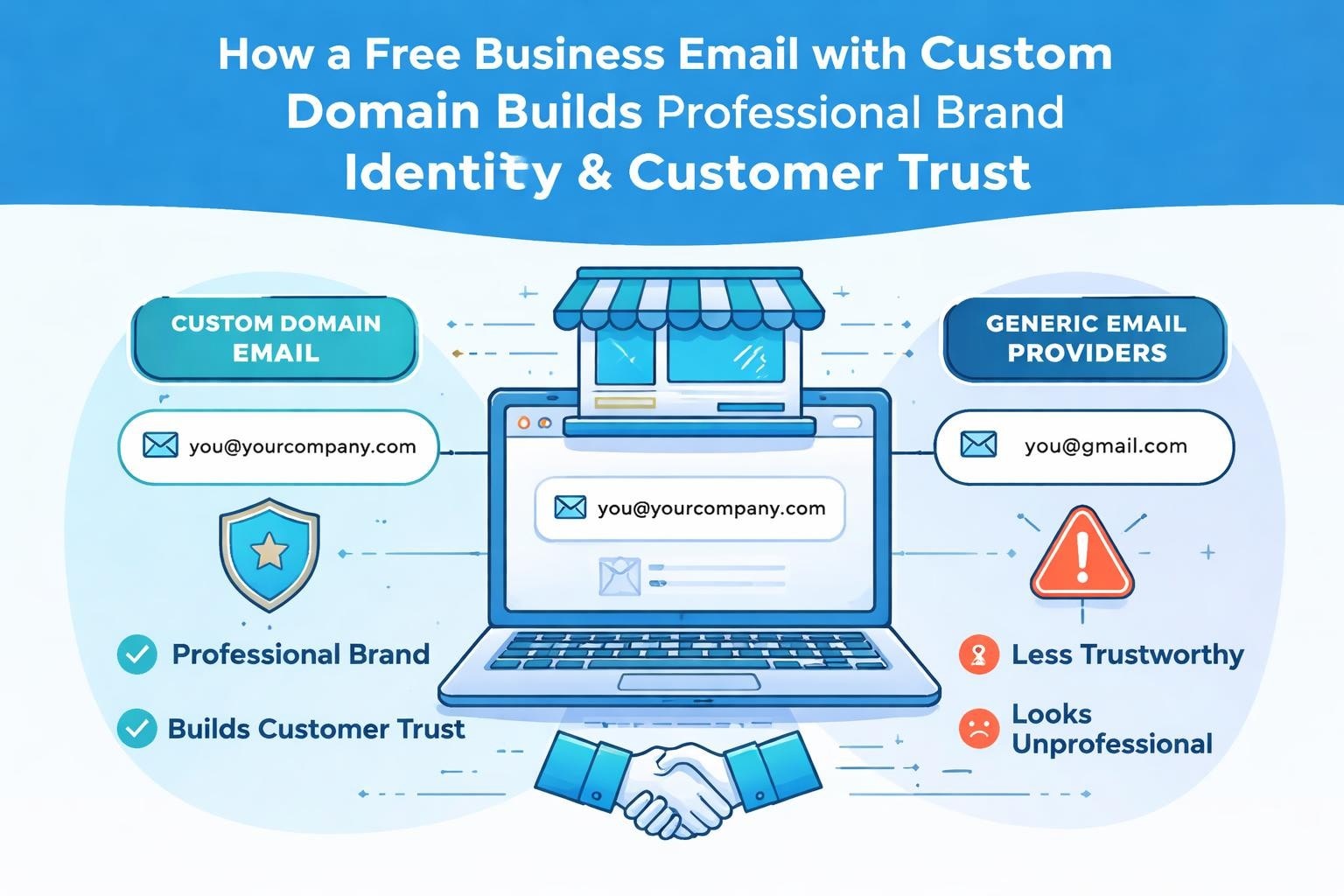
Setting up a professional email presence doesn't require a substantial budget. For small businesses and entrepreneurs launching in 2026, a free business email address offers the perfect starting point to establish credibility without financial commitment. The right email solution builds trust with customers, separates personal from professional communications, and positions your brand for growth. Understanding your options helps you make informed decisions that align with both current needs and future expansion plans.
Understanding Free Business Email Options
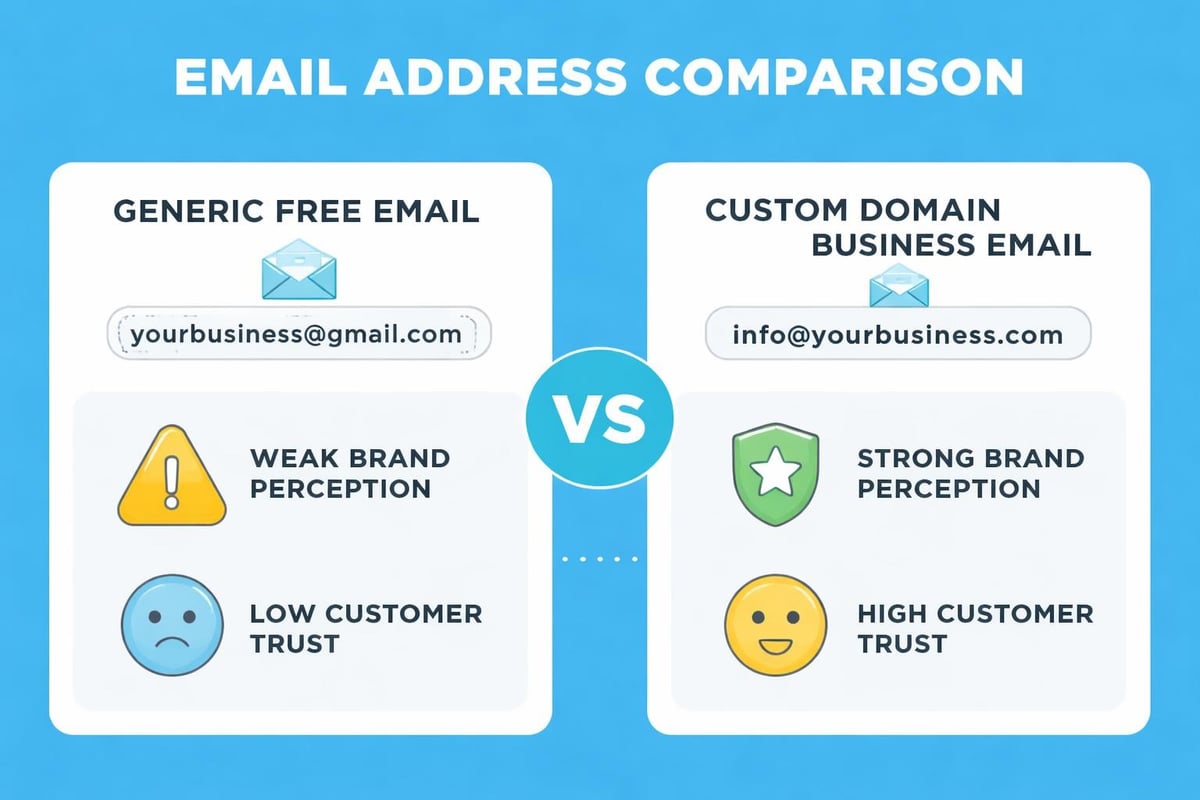
A free business email address typically combines your company or domain name with an email service provider's platform. Unlike generic accounts that end with @gmail.com or @yahoo.com, these solutions allow you to create addresses like [email protected], establishing instant professionalism.
What Qualifies as a Business Email
Business email addresses differ fundamentally from personal accounts in several ways:
- Custom domain integration that reflects your brand identity
- Professional appearance in client communications and marketing
- Enhanced credibility when reaching out to partners or investors
- Organizational structure for team-based communication
- Brand consistency across all customer touchpoints
The distinction matters significantly in 2026's competitive marketplace. When you create a professional email address, you're investing in how prospects and customers perceive your business from the first interaction.
Free Versus Paid Solutions
The landscape of email services offers numerous pathways to establishing professional communications. Free options typically provide core functionality whilst paid services deliver advanced features, increased storage, and dedicated support.
| Feature | Free Business Email | Paid Business Email |
|---|---|---|
| Custom Domain | Limited availability | Full customisation |
| Storage Capacity | 1-15 GB typical | 50 GB to unlimited |
| Support | Community forums | Priority assistance |
| Advanced Features | Basic only | Marketing integration, analytics |
| User Accounts | 1-5 users | Unlimited scaling |
Most small businesses start with free solutions and upgrade as their communication needs evolve. This approach allows you to test email workflows before committing to monthly expenses.
Popular Free Business Email Providers
Several established platforms offer free business email addresses with varying feature sets and limitations. Understanding each provider's strengths helps you select the right fit for your organisation.
Google Workspace (Gmail)
Google's business solution provides limited free options through personal Gmail accounts with custom domain aliasing, though full Google Workspace requires payment. For businesses willing to use standard Gmail features, this represents a familiar interface with robust spam filtering and 15 GB storage shared across Google services.
The platform integrates seamlessly with Google Calendar, Drive, and Meet, creating a unified workspace. Small teams particularly benefit from real-time collaboration tools and mobile accessibility across devices.
Microsoft 365 (Outlook)
Microsoft offers business email plans through Outlook with free trials and basic tiers. The free Outlook.com accounts don't include custom domains in 2026, but Microsoft's ecosystem integration appeals to businesses already using Windows and Office applications.
The familiar Outlook interface reduces training time for team members, whilst powerful organisation features help manage high email volumes efficiently.
Zoho Mail
Zoho Mail stands out as one of few providers offering genuinely free business email addresses with custom domains. Their free tier supports up to five users with 5 GB storage per user, making it ideal for micro-businesses and solopreneurs.
Key advantages include:
- True custom domain support at no cost
- Ad-free interface maintaining professional appearance
- Built-in task management and calendar features
- Mobile apps for iOS and Android platforms
- Basic email marketing capabilities
Several platforms provide detailed guidance on setting up free business email addresses using Zoho's service, making implementation straightforward even for non-technical users.
ProtonMail
Privacy-focused businesses gravitate towards ProtonMail's encrypted email service. The free tier offers one custom domain address with 500 MB storage, prioritising security over storage capacity. End-to-end encryption ensures sensitive business communications remain confidential.
This solution particularly suits consultants, legal professionals, and businesses handling confidential client information where privacy trumps storage requirements.
Setting Up Your Free Business Email Address
Creating a professional email presence involves several sequential steps. Following this structured approach ensures smooth setup and optimal configuration.
Step One: Domain Registration
Before obtaining a free business email address, you need a domain name. If you haven't registered one yet, services like Namecheap, GoDaddy, or Google Domains offer affordable options starting around £10 annually. Your domain becomes your digital business identity, so choose carefully.
Consider these domain selection factors:
- Memorability: Short, simple names stick in minds
- Brand alignment: Match your business name closely
- Extension choice: .com remains standard, but .co.uk, .io, or industry-specific extensions work well
- Future-proofing: Avoid trends that may date quickly
Step Two: Choose Your Email Provider
Research providers based on your specific requirements. As explored in guides about obtaining business email for free, matching features to needs prevents future migration headaches.
Evaluate these criteria when comparing providers:
| Consideration | Questions to Ask |
|---|---|
| User limits | How many team members need accounts? |
| Storage needs | What volume of emails and attachments expected? |
| Integration | Which tools must connect to your email? |
| Scalability | Will you outgrow free tier quickly? |
| Support | What assistance level do you require? |
Step Three: Configure DNS Records
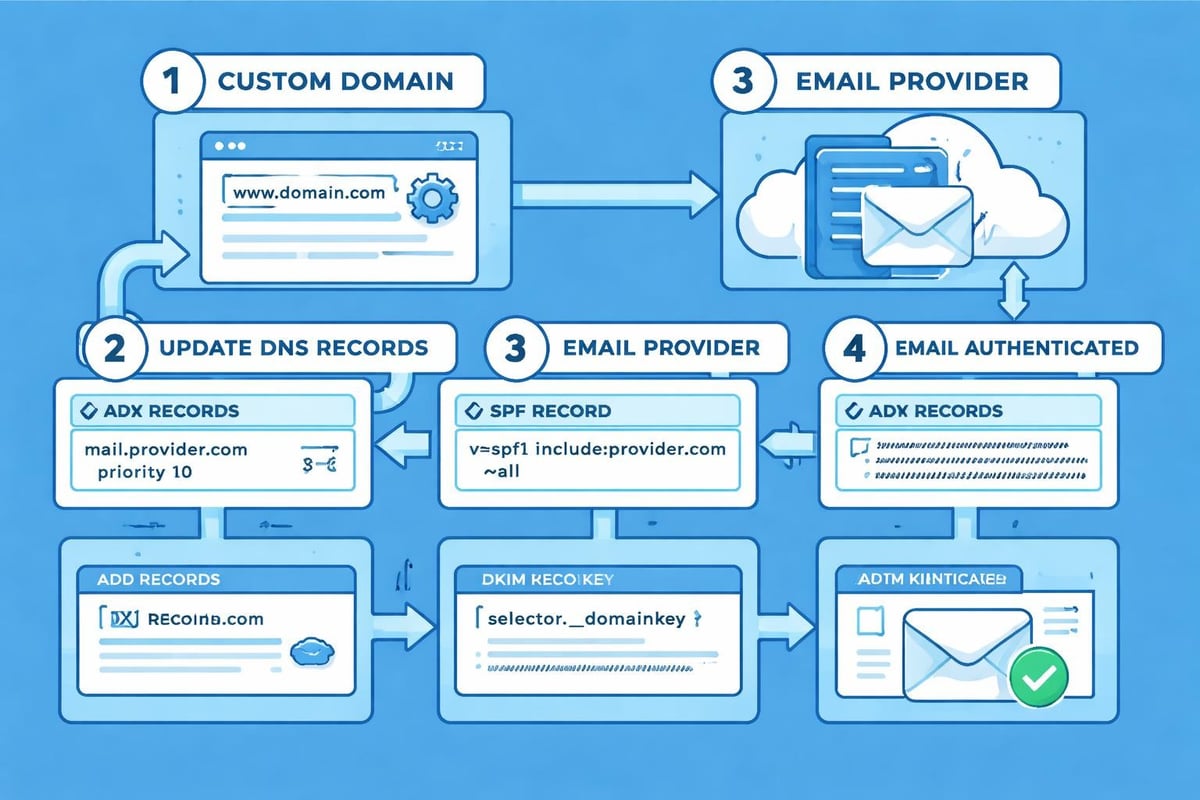
Connecting your domain to your chosen email provider requires updating DNS records. This technical step proves simpler than it appears, with most providers offering step-by-step instructions.
You'll typically modify MX (Mail Exchange) records to direct incoming emails to your provider's servers. Many services also recommend adding SPF and DKIM records to improve email deliverability and reduce spam classification.
Step Four: Create Email Accounts
Once DNS propagates (usually 24-48 hours), create individual email addresses for team members. Establish a naming convention early to maintain consistency as you grow.
Common naming formats include:
- [email protected]
- [email protected]
- [email protected]
- role-based addresses (sales@, support@, info@)
Role-based addresses work particularly well for small teams where multiple people share responsibilities. When exploring how to set up a business email, consider both individual and departmental needs.
Maximising Your Free Email Account
Simply creating a free business email address doesn't guarantee professional results. Strategic configuration and usage optimise impact and functionality.
Professional Email Signature Design
Your email signature extends your brand into every message. Include essential contact information without overwhelming recipients.
Effective signatures contain:
- Full name and job title
- Company name with website link
- Direct phone number
- Professional headshot (optional but impactful)
- Links to relevant social media profiles
- Brief call-to-action or tagline
Avoid cluttering signatures with excessive graphics, quotes, or legal disclaimers unless genuinely necessary. Clean, concise signatures reflect organisational professionalism.
Folder Organisation Systems
Inbox management directly impacts productivity. Establish folder structures that align with your workflow, creating categories for clients, projects, priorities, or time periods.
Most email providers support rules and filters that automatically sort incoming messages. Setting these up initially saves hours monthly and ensures important communications don't disappear in crowded inboxes.
Security Best Practices
Free business email addresses require the same security vigilance as paid solutions. Implement these protective measures:
- Two-factor authentication on all accounts
- Strong, unique passwords stored in password managers
- Regular security reviews of connected apps and devices
- Phishing awareness training for all email users
- Backup protocols for critical communications
Understanding your provider's antispam policy helps you maintain clean sender reputation and avoid deliverability issues.
Integration With Email Marketing Platforms
For small businesses, email communications extend beyond one-to-one correspondence. Integrating your free business email address with marketing automation creates cohesive customer experiences.
Connecting Email Marketing Tools
Services like Astonish Email specialise in helping small businesses leverage professional email addresses for marketing campaigns. When you get a business email address, consider how it integrates with broader communication strategies.
Marketing platforms typically connect through SMTP settings or API integrations, allowing you to send campaigns from your professional domain whilst leveraging sophisticated segmentation and automation features.
Maintaining Sender Reputation
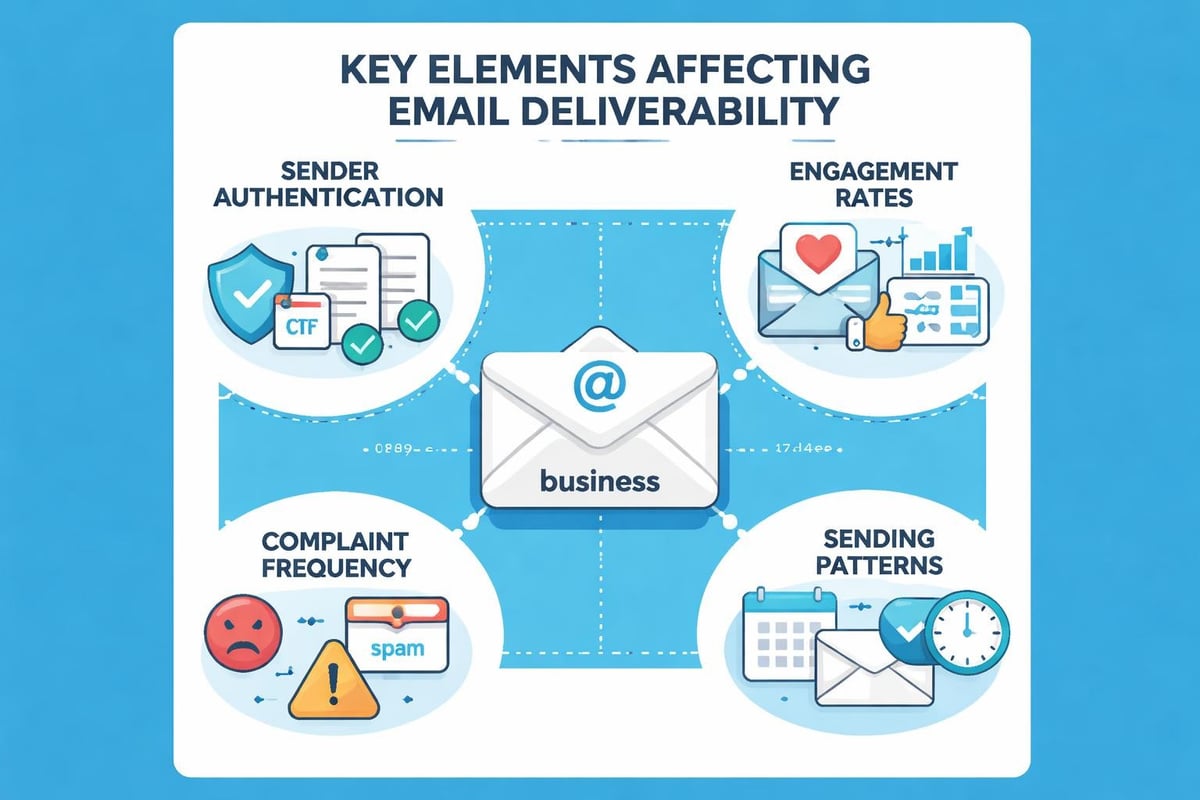
Your domain's sending reputation affects whether emails reach inboxes or spam folders. Free business email addresses require careful management to preserve deliverability.
Key reputation factors include:
- Consistent sending patterns without sudden volume spikes
- Low complaint rates from recipients marking emails as spam
- Proper authentication through SPF, DKIM, and DMARC records
- List hygiene removing inactive or bouncing addresses
- Engagement metrics showing recipients open and interact with messages
Common Challenges and Solutions
Setting up and maintaining a free business email address presents occasional obstacles. Anticipating these issues helps you respond effectively.
Storage Limitations
Free tiers typically offer 1-15 GB storage, which fills surprisingly quickly with attachments and archived conversations. Regular inbox maintenance prevents hitting limits unexpectedly.
Storage management strategies:
- Archive old emails to local storage or external drives
- Delete unnecessary messages and empty trash regularly
- Use cloud storage links rather than direct attachments for large files
- Upgrade to paid tiers as volume necessitates
Deliverability Concerns
New domains occasionally face deliverability challenges as they establish sending reputation. Emails may initially land in spam folders until providers recognise your domain as legitimate.
Building reputation requires patience and consistent good practices. Resources on creating professional email addresses often emphasise gradual sending volume increases and engagement-focused strategies.
Limited Support Access
Free accounts typically lack priority support, relying instead on community forums and knowledge bases. This proves manageable for straightforward setup but may frustrate when complex issues arise.
Mitigate support limitations by:
- Thoroughly researching before selecting providers
- Documenting your configuration for future reference
- Joining user communities where experienced members share solutions
- Considering paid tiers if immediate support becomes critical
Scaling Beyond Free Solutions
Most businesses eventually outgrow free business email addresses. Recognising the right upgrade timing prevents disruption whilst maximising value from free tiers.
Signs You've Outgrown Free Email
Several indicators suggest your business needs more robust email infrastructure:
- Regularly hitting storage limits despite archiving
- Need for more than five user accounts
- Requirement for advanced features like shared calendars or video conferencing
- Customer-facing communications demanding enhanced reliability
- Integration needs with CRM or project management systems
When exploring simple business email upgrades, consider not just current needs but projected growth over the next 12-24 months.
Migration Planning
Switching email providers or upgrading tiers requires careful planning to avoid lost messages or confused customers. Create a structured migration timeline allowing adequate testing before full transition.
Migration checklist includes:
- Export existing emails and contacts
- Set up new accounts and test functionality
- Update email signatures and auto-responders
- Inform key contacts of any address changes
- Maintain both systems briefly during transition
- Update website and marketing materials
- Monitor deliverability on new platform
Alternative Approaches for Budget-Conscious Businesses
Beyond traditional free business email addresses, creative alternatives exist for businesses prioritising cost savings.
Email Forwarding Solutions
Some businesses maintain free Gmail or Outlook accounts whilst forwarding messages from professional domain addresses. This approach provides professional appearance without full email hosting costs, though it sacrifices some functionality and control.
Domain Provider Email Bundles
Many domain registrars include basic email forwarding or limited mailboxes with domain registration. Whilst often restricted compared to dedicated email providers, these bundled solutions offer simple setups for very small operations.
Understanding how to obtain free business email addresses through various methods empowers informed decision-making based on your specific circumstances.
Website Hosting Email Inclusions
Website hosting packages frequently include email accounts as part of their service. If you're already paying for web hosting, you may have free business email address options available without additional cost.
Best Practices for Professional Email Communication
Having a free business email address only delivers value when used effectively. Professional email etiquette strengthens relationships and enhances brand perception.
Writing Effective Subject Lines
Subject lines determine whether recipients open your messages. Craft clear, specific subjects that accurately preview content whilst creating urgency or interest where appropriate.
Subject line principles:
- Keep under 50 characters for mobile visibility
- Lead with most important information
- Avoid spam trigger words (free, guarantee, limited time)
- Personalise when relevant
- Create curiosity without clickbait tactics
Response Time Expectations
In 2026's fast-paced business environment, email response expectations have accelerated. Whilst immediate replies aren't always feasible, acknowledging receipt within 24 hours demonstrates professionalism and respect.
Setting up auto-responders during holidays or busy periods manages expectations whilst maintaining communication standards. Your business email account should include clear out-of-office messages specifying when senders can expect responses.
Mobile Optimisation
Over 60% of business emails are now opened on mobile devices. Ensure your messages display correctly on smaller screens by using responsive templates, concise paragraphs, and clear calls-to-action.
Test emails across devices before sending important communications. What appears perfect on desktop may prove unreadable on smartphones if formatting doesn't adapt properly.
Establishing a free business email address in 2026 remains entirely achievable through numerous provider options, each offering distinct advantages for small businesses. The key lies in matching your specific requirements with provider capabilities whilst implementing professional practices that maximise credibility and effectiveness. When you're ready to elevate your email communications beyond basic sending and receiving, integrating your professional email with sophisticated marketing tools creates seamless customer experiences. Astonish Email helps small businesses transform their email addresses into powerful marketing assets through intuitive automation and targeted campaigns. Start building meaningful customer relationships today with email marketing designed specifically for growing businesses.