Making a Business Email Address: Complete 2026 Guide
April 22, 2026
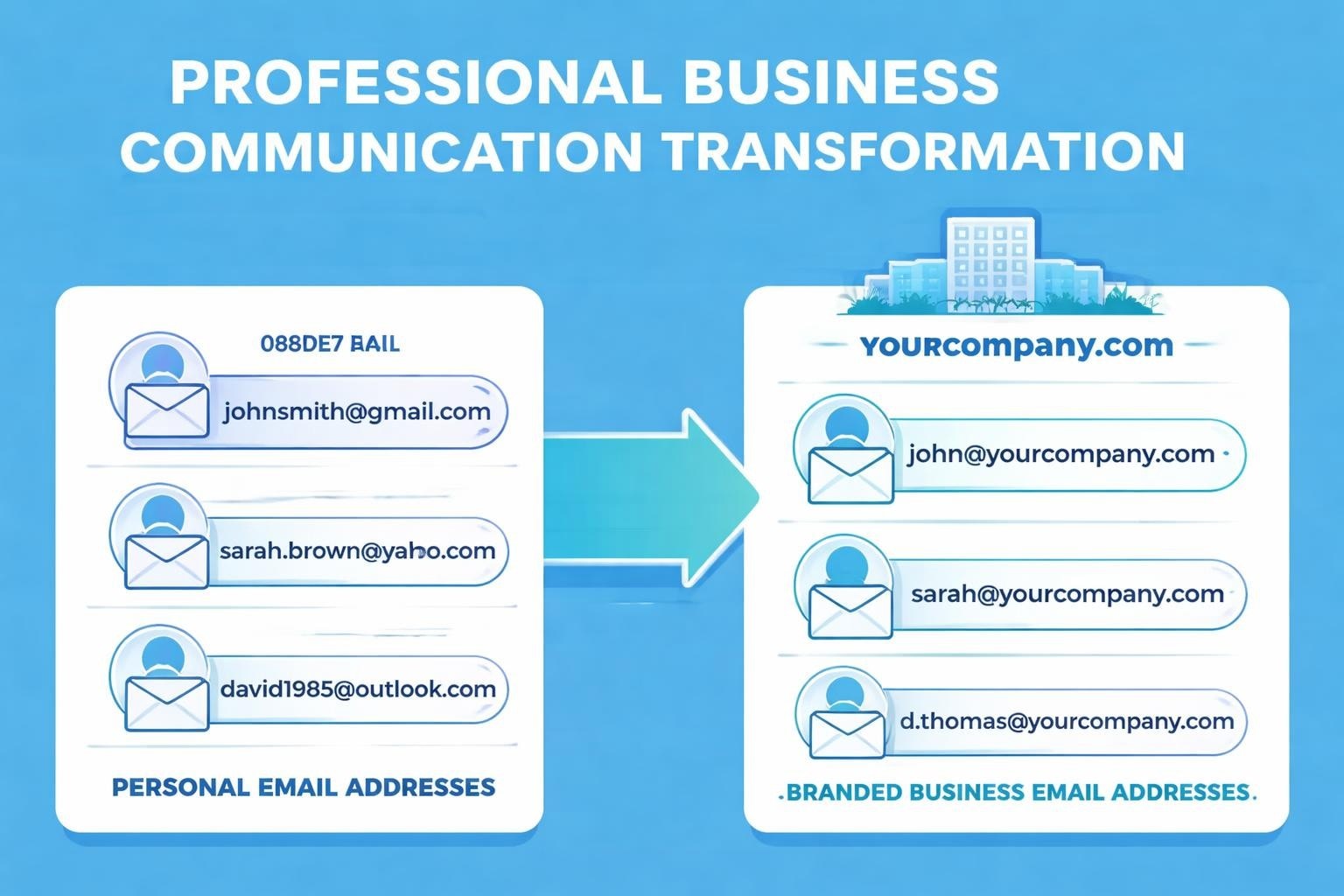
Making a business email address represents one of the most fundamental steps in establishing your company's professional identity. Whether you're launching a startup or rebranding an established enterprise, the email address you choose becomes the digital face of your organisation in countless daily interactions. A professional email address builds immediate credibility, separates your personal and business communications, and creates consistency across your brand touchpoints. As we move through 2026, the importance of this decision has only grown, with customers increasingly scrutinising business legitimacy through every detail, including the email addresses they receive messages from.
Understanding the Fundamentals of Business Email Addresses
A business email address differs from personal email accounts in several critical ways. Rather than relying on free providers with generic domains, making a business email address involves using your company's domain name to create a unique, professional identity.
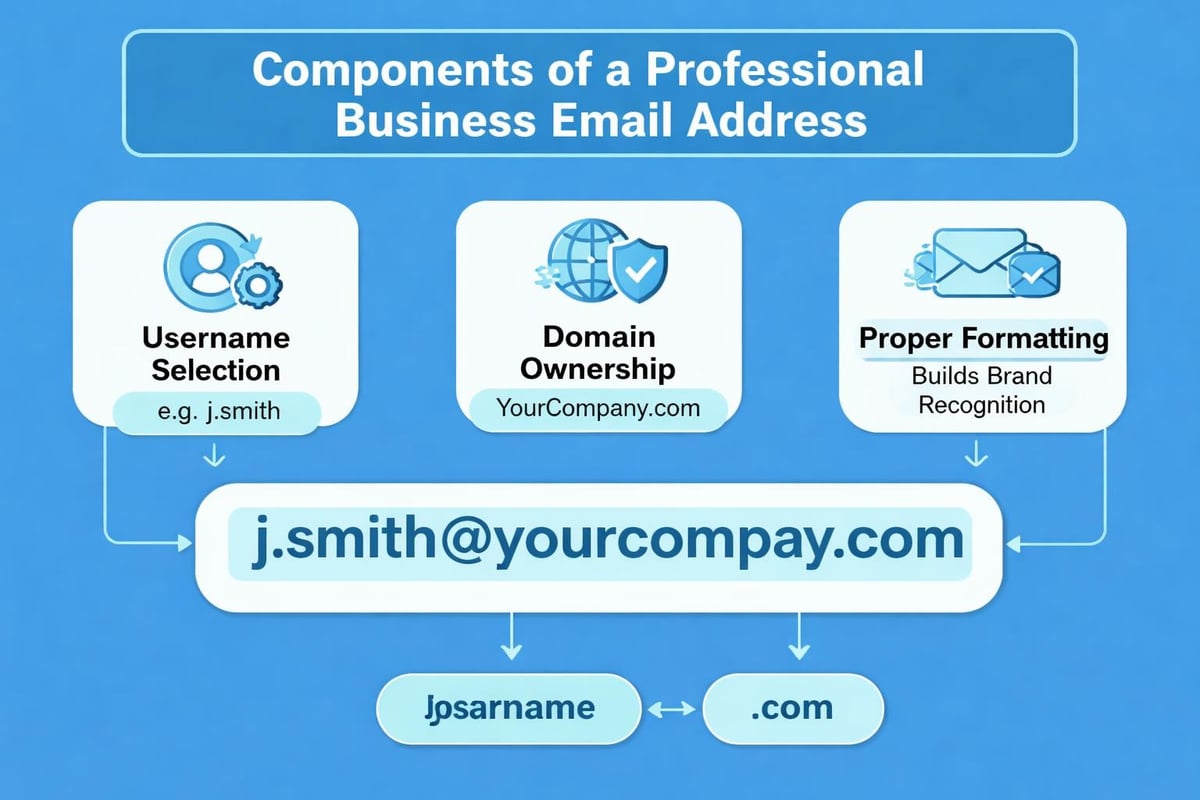
The anatomy of a professional business email follows a consistent structure: [email protected]. This format immediately signals to recipients that they're corresponding with a legitimate business entity. Business email addresses enhance credibility and trust in ways that personal accounts simply cannot match.
Why Your Domain Matters
Your domain name serves as the foundation for all business email addresses. When customers see correspondence arriving from [email protected], they instinctively trust it more than messages from [email protected]. This distinction becomes particularly important when:
- Building relationships with new clients
- Sending transactional communications
- Establishing authority in your industry
- Protecting your brand from impersonation
- Creating memorable contact points
The domain you select should align with your business name, be easy to spell, and ideally use a recognised top-level domain such as .com, .co.uk, or industry-specific alternatives.
Choosing the Right Email Hosting Solution
Making a business email address requires selecting an appropriate hosting platform that balances features, reliability, and cost. The market offers numerous solutions, each with distinct advantages for different business sizes and requirements.
| Provider Type | Best For | Key Advantage | Typical Cost |
|---|---|---|---|
| Microsoft 365 | Enterprises | Integration with Office apps | £4-15/user/month |
| Google Workspace | Growing teams | Collaboration tools | £4.14-13.80/user/month |
| Domain hosts | Small businesses | Bundled hosting | £2-8/month |
| Specialist providers | Budget-conscious | Focused features | £1-5/month |
Microsoft 365 provides comprehensive business tools alongside email hosting. Companies already using Office applications benefit from seamless integration, though the platform requires a steeper learning curve for basic email needs.
Google Workspace delivers familiar Gmail interfaces with custom business email addresses and enhanced security features. The platform excels for businesses prioritising collaboration and cloud-based workflows.
Domain registrars often bundle email hosting with domain registration, creating convenient packages for startups. These solutions typically offer adequate features for businesses managing modest email volumes without extensive automation requirements.
Evaluating Your Business Requirements
Before selecting a provider, assess your specific needs:
- Volume expectations - How many emails will your team send monthly?
- Storage requirements - Do you need extensive archival capabilities?
- Integration needs - Must your email connect with CRM or marketing tools?
- Security standards - What compliance requirements apply to your industry?
- Growth trajectory - Will you add team members within the next year?
Small businesses sending fewer than 5,000 emails monthly might find perfectly adequate solutions through basic domain hosting packages. Companies planning significant marketing campaigns or customer communications benefit from platforms with robust email marketing capabilities.
Selecting Professional Email Address Formats
The username portion of your business email address communicates important information about your role and organisation. Making a business email address involves strategic decisions about formatting conventions that balance professionalism with practicality.
Standard Naming Conventions
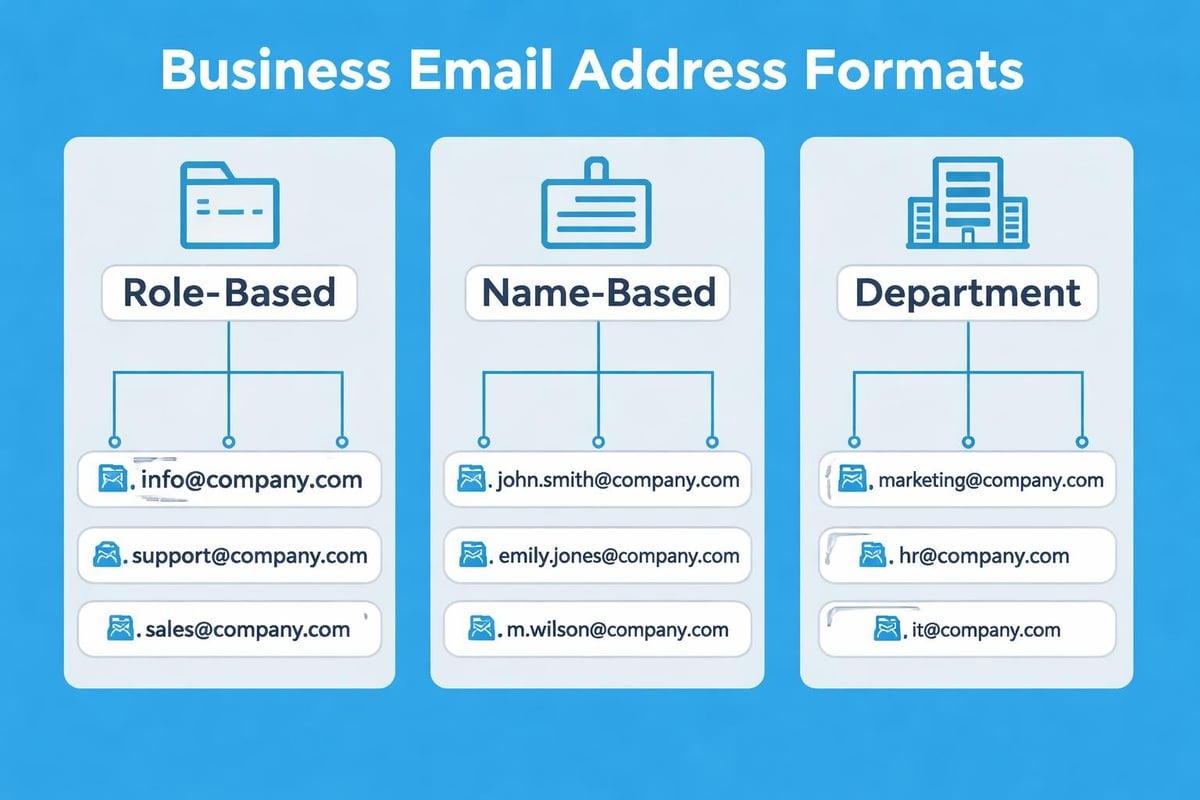
First name format ([email protected]) works well for small teams where everyone maintains multiple roles. This approach feels personal and accessible, though it can create confusion as businesses grow.
First name and surname ([email protected]) provides clarity in larger organisations. The format helps recipients identify exactly who they're corresponding with, though longer names can become cumbersome.
Role-based addresses ([email protected], [email protected]) ensure continuity regardless of staff changes. These addresses work brilliantly for departments but lack the personal touch many customers appreciate.
Hybrid approaches combine individual and role identifiers ([email protected]). This format works particularly well for businesses with multiple team members in similar roles.
Consider these professional email address best practices when establishing your naming conventions:
- Avoid numbers unless absolutely necessary for disambiguation
- Keep usernames under 20 characters when possible
- Use consistent formatting across all company addresses
- Reserve generic addresses (info@, contact@) for general enquiries
- Create department-specific addresses for organised response management
Step-by-Step Process for Creating Your Business Email
Making a business email address follows a logical sequence that ensures proper setup and configuration. Following these steps methodically prevents common mistakes that compromise deliverability or security.
Domain Registration and Verification
Purchase your domain through a reputable registrar. Research pricing carefully, as renewal rates often exceed initial promotional costs. Select a domain that accurately represents your business and avoids trademark conflicts.
Verify domain ownership through your chosen email provider. This process typically involves adding DNS records that confirm you control the domain. Most platforms provide detailed instructions, though the verification can take 24-48 hours to complete.
Configure DNS settings to point email traffic to your hosting provider. MX records tell the internet where to deliver messages sent to your domain. SPF and DKIM records authenticate your emails, improving deliverability and protecting against spoofing.
Account Creation and Configuration
- Access your email hosting platform and navigate to the account creation section
- Enter your chosen username following the conventions established for your organisation
- Set a strong password combining uppercase, lowercase, numbers, and symbols
- Configure security features including two-factor authentication
- Establish email signatures that include relevant contact information and branding
Recovery options deserve careful attention during setup. Designate alternative email addresses or phone numbers for password resets. Without these safeguards, a forgotten password can lock you out indefinitely.
Testing represents the final critical step. Send messages to various providers (Gmail, Outlook, Yahoo) and verify they arrive in inbox folders rather than spam. Check that replies function correctly and attachments transmit without issues.
Essential Features and Security Considerations
Professional email addresses require more than basic send-and-receive functionality. Making a business email address means implementing features that protect your communications and enhance productivity.
Security Fundamentals
Encryption protocols ensure messages travel securely between servers. Modern email platforms should support TLS encryption as standard, protecting correspondence from interception during transmission.
Spam filtering prevents malicious messages from reaching your inbox. Quality filters learn from your behaviour, improving accuracy over time whilst minimising false positives that might hide legitimate business correspondence.
Malware scanning examines attachments and links before allowing access. This protection becomes increasingly vital as phishing attacks grow more sophisticated and targeted.
| Security Feature | Purpose | Business Impact |
|---|---|---|
| Two-factor authentication | Prevents unauthorised access | Reduces account compromise by 99.9% |
| Email encryption | Protects sensitive data | Essential for GDPR compliance |
| Archive and retention | Maintains records | Supports legal and audit requirements |
| Mobile device management | Secures remote access | Controls data on lost/stolen devices |
Productivity Enhancements
Email aliases allow multiple addresses to deliver to a single inbox. You might create info@, sales@, and support@ addresses that all reach the same destination, simplifying management whilst maintaining professional appearance.
Autoresponders acknowledge receipt of messages when you're unavailable. Well-crafted automatic replies set appropriate expectations and direct urgent matters to alternative contacts.
Email forwarding routes specific messages to team members based on content or sender. This automation ensures the right person handles each enquiry without manual sorting.
Businesses should explore how setting up professional business email infrastructure supports broader operational efficiency beyond simple messaging.
Integrating Email with Business Operations
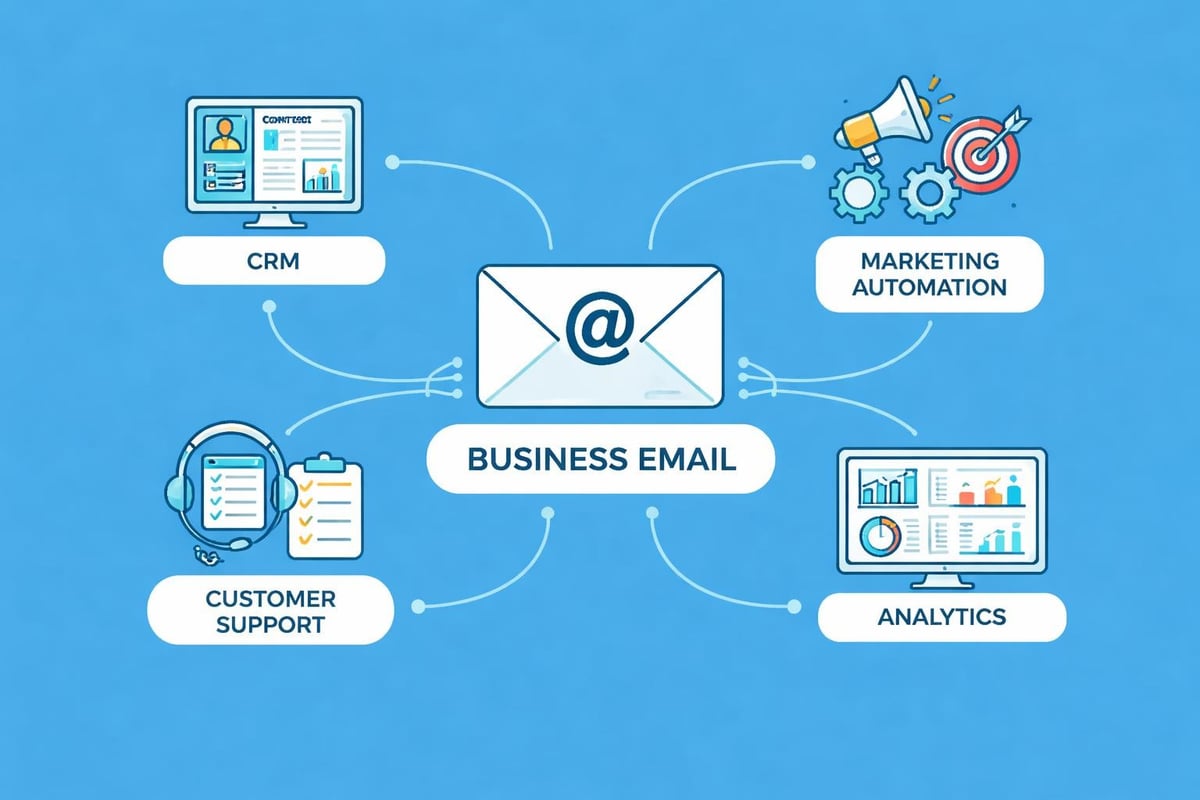
Making a business email address delivers maximum value when integrated thoughtfully into your broader technology ecosystem. Modern businesses rely on email as a central hub connecting various tools and workflows.
CRM Connection
Customer relationship management systems thrive on email integration. Recording all client correspondence within your CRM creates comprehensive interaction histories that inform future engagements. Most platforms offer:
- Automatic email logging based on sender/recipient
- Template libraries for common communications
- Activity tracking for sales pipeline management
- Scheduled sending for optimal timing
Email marketing platforms extend your business address capabilities for larger-scale campaigns. While your standard business email handles day-to-day correspondence, specialised tools manage newsletters, promotional announcements, and automated sequences.
When planning your email strategy, consider how your business address fits within your broader communications approach. Small businesses benefit from platforms that combine transactional and marketing email capabilities without requiring multiple systems.
Workflow Automation
Email triggers can initiate various business processes:
- New customer enquiries create task assignments
- Order confirmations generate shipping notifications
- Support tickets route to appropriate team members
- Document requests trigger automated file delivery
These automations reduce manual work whilst ensuring consistent, timely responses that enhance customer experience.
Common Mistakes to Avoid
Even experienced business owners make errors when making a business email address that can undermine professionalism or create operational headaches. Awareness of these pitfalls helps you implement better practices from the start.
Address Selection Errors
Using numbers arbitrarily ([email protected]) suggests either poor planning or that you're somehow second-tier within your organisation. If disambiguation is necessary, include middle initials or role identifiers instead.
Creating overly complex usernames frustrates correspondents who must type your address repeatedly. Balance uniqueness with simplicity, avoiding unnecessary punctuation or obscure abbreviations.
Neglecting mobile compatibility proves problematic when customers attempt to contact you from smartphones. Long, complicated addresses increase mistyping and abandoned communications.
Technical Configuration Issues
Many businesses fail to properly configure DNS records for email authentication, resulting in messages that land in spam folders. SPF, DKIM, and DMARC records require initial setup and occasional review as providers change.
Inadequate backup strategies leave businesses vulnerable to data loss. Regular email backups should occur automatically, with archives stored securely offsite. Regulatory requirements often mandate specific retention periods for business correspondence.
Poor password practices remain surprisingly common. Using the same password across multiple services, choosing easily guessable combinations, or sharing credentials with team members creates security vulnerabilities. Implement password managers and enforce regular updates.
Managing Multiple Email Addresses
Growing businesses inevitably require additional email addresses for different departments, roles, or purposes. Making a business email address structure that scales gracefully prevents chaos as your team expands.
Organisational Strategies
Department-based hierarchy creates logical groupings:
- [email protected] (managed by sales team)
- [email protected] (routes to support queue)
- [email protected] (reaches accounts department)
- [email protected] (general enquiries)
Individual addresses complement departmental ones:
- [email protected] (Sales Manager)
- [email protected] (Support Lead)
- [email protected] (Finance Director)
This dual approach ensures both personal accountability and operational continuity when staff members leave or change roles.
Distribution Lists and Shared Inboxes
Distribution lists send copies of emails to multiple recipients simultaneously. Use these for broad announcements or ensuring multiple team members see important correspondence.
Shared inboxes allow several people to manage a single address collaboratively. Team members can see which messages colleagues have handled, preventing duplicate responses whilst ensuring nothing falls through cracks.
Consider how creating professional email addresses across your organisation maintains brand consistency whilst serving practical communication needs.
Cost Considerations and Budget Planning
Making a business email address involves ongoing costs that vary significantly based on your chosen approach and requirements. Understanding the financial implications helps you budget appropriately and avoid unexpected expenses.
Initial Setup Costs
- Domain registration: £8-15 annually for standard domains
- Email hosting setup: £0-50 one-time fees depending on provider
- Migration services: £50-200 if transferring from existing systems
- Professional configuration: £100-300 for expert setup assistance
Recurring Expenses
Monthly or annual charges depend heavily on your chosen platform and user count. Basic email hosting through domain registrars costs approximately £2-5 per mailbox monthly. Enterprise solutions like Microsoft 365 or Google Workspace range from £4-15 per user monthly, scaling with feature requirements.
Hidden costs deserve consideration:
- Storage upgrades as email volumes grow
- Additional security features beyond basic packages
- Premium support for faster response times
- Integration costs with other business systems
Small businesses should examine affordable business email solutions that deliver professional capabilities without enterprise pricing. Many providers offer tiered pricing that allows starting small and upgrading as needs evolve.
Best Practices for Daily Email Management
Successfully making a business email address extends beyond initial setup. Effective management practices ensure your professional email remains an asset rather than becoming an overwhelming burden.
Inbox Organisation Systems
Folder structures help categorise correspondence for easy retrieval. Create folders for:
- Active projects requiring ongoing attention
- Client communications sorted by account
- Internal team discussions
- Archive for completed matters
- Action items needing response
Filtering rules automatically sort incoming messages based on sender, subject, or content. These rules save substantial time whilst ensuring important messages receive appropriate priority.
Search functionality becomes increasingly valuable as email volumes grow. Learn your platform's search operators to quickly locate specific messages, attachments, or threads.
Response Management
Timely responses separate professional businesses from those that appear disorganised or indifferent. Establish clear expectations:
- Acknowledge receipt within 24 hours, even if detailed responses require more time
- Set auto-replies during holidays or extended absences
- Delegate appropriately by forwarding messages to team members best positioned to help
- Close loops by confirming when actions are complete
Crafting effective business communications requires attention to tone, clarity, and professionalism. Your business email address represents your company, making every message an opportunity to reinforce your brand values.
Maintaining Email Deliverability
Making a business email address creates value only if your messages actually reach recipients. Deliverability requires ongoing attention to technical configurations and sending practices.
Authentication Protocols
SPF records specify which mail servers can send email on your domain's behalf. Without proper SPF configuration, receiving servers may reject your messages or mark them as suspicious.
DKIM signing adds encrypted signatures that verify messages haven't been altered in transit. This authentication builds trust with receiving servers and improves inbox placement.
DMARC policies tell receiving servers how to handle messages that fail SPF or DKIM checks. Implementing DMARC protects your domain from spoofing whilst providing visibility into email authentication issues.
Sender Reputation Management
Your domain and IP address develop reputations based on sending behaviour. Maintaining positive reputations requires:
- Avoiding spam complaints by sending only to engaged recipients
- Maintaining clean email lists without invalid addresses
- Monitoring bounce rates and removing problem addresses
- Sending consistent volumes rather than sudden spikes
- Warming up new domains gradually before full-scale sending
Businesses should understand how professional email systems handle authentication and deliverability through proper configuration and ongoing monitoring.
Scaling Email Infrastructure
As businesses grow, email requirements evolve beyond initial implementations. Making a business email address with future scalability in mind prevents costly migrations or disruptions.
Growth Planning
Consider these questions when evaluating scalability:
- How many additional users might you add within 12-24 months?
- Will international expansion require region-specific addresses?
- Do you anticipate launching sub-brands or product lines?
- Might acquisition or merger activity affect your email infrastructure?
Flexible platforms accommodate growth through simple user additions without fundamental architectural changes. Evaluate whether your chosen solution supports:
- Easy addition of new mailboxes
- Subdomain creation for business units
- API access for custom integrations
- Increased storage without service interruption
- Enhanced security features as requirements evolve
Migration Strategies
Changing email providers inevitably becomes necessary as businesses outgrow initial solutions. Well-planned migrations minimise disruption:
- Select timing during slower business periods
- Communicate changes to customers and partners in advance
- Maintain old addresses temporarily to catch stragglers
- Test thoroughly before complete transition
- Document procedures for future reference
Understanding how to get business email infrastructure right from the start reduces the likelihood of needing disruptive migrations later.
Compliance and Legal Considerations
Business email addresses fall under various regulatory frameworks depending on your industry and location. Making a business email address compliant with applicable laws protects your business from penalties whilst building customer trust.
Data Protection Requirements
GDPR compliance affects any business handling data from EU residents. Email communications must respect:
- Right to access stored correspondence
- Right to deletion upon request
- Data minimisation in collection and retention
- Transparent privacy policies
- Secure processing and storage
Industry-specific regulations may impose additional requirements. Financial services, healthcare, and legal firms face particular scrutiny regarding email security and retention.
Record Retention Policies
Many businesses must retain email correspondence for specified periods. Establish clear policies addressing:
- How long different categories of email are stored
- Where archived messages are kept
- Who can access archived communications
- When and how emails are permanently deleted
- Procedures for legal hold situations
Implementing proper data retention policies ensures compliance whilst managing storage costs and privacy obligations effectively.
Making a business email address establishes the foundation for professional communication that builds credibility, protects your brand, and supports efficient operations. From selecting the right domain and hosting solution to implementing security measures and scaling for growth, each decision contributes to your overall business success. Astonish Email provides small businesses with straightforward email marketing solutions that complement your professional business email infrastructure, helping you connect with customers effectively whilst maintaining the professional standards your brand deserves.