UK Business Email Address: Essential Guide for 2026
April 27, 2026
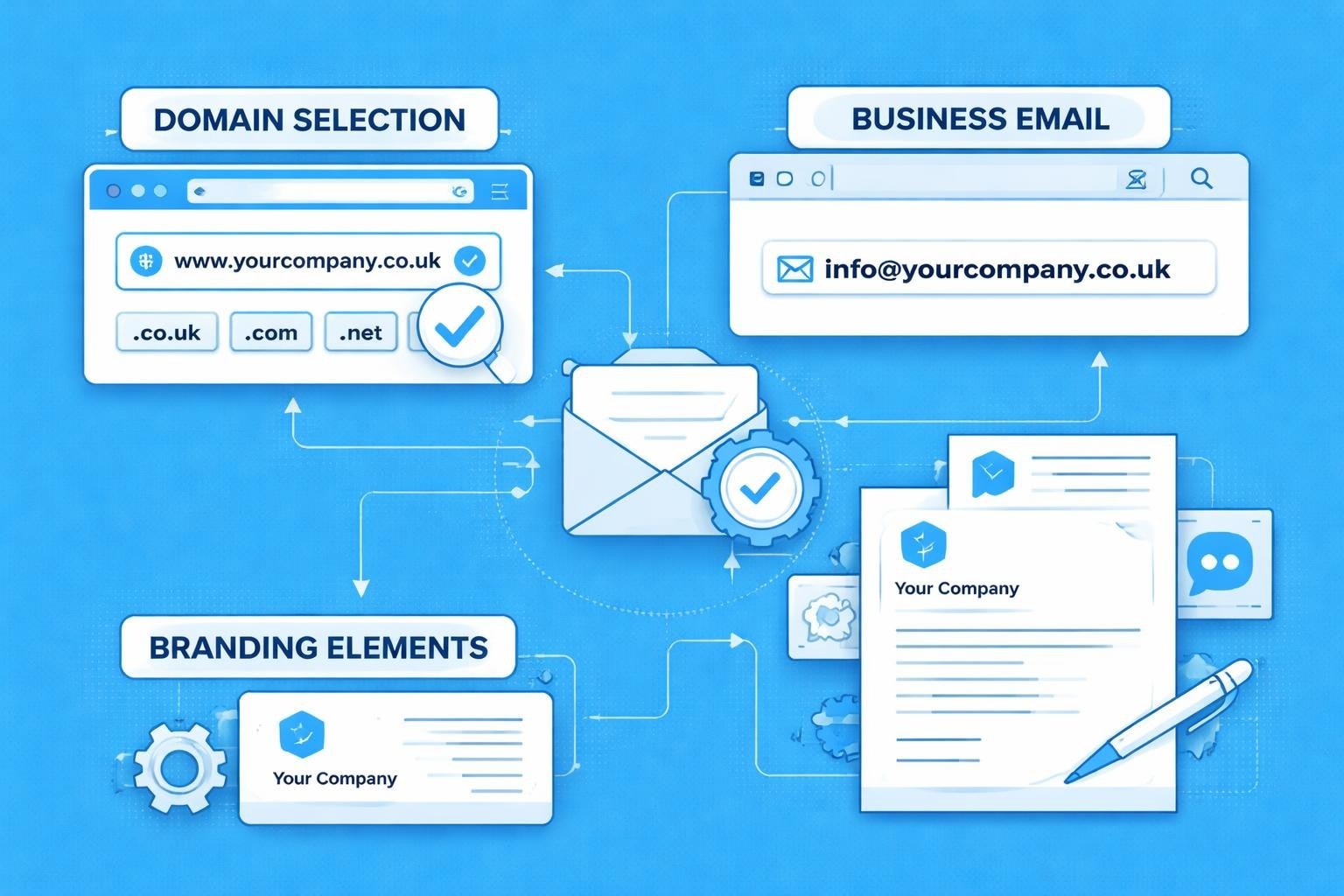
Establishing a professional presence in the UK market requires more than just a great product or service. Your business communications form the foundation of customer relationships, and nothing signals professionalism quite like a dedicated uk business email address. For small businesses, particularly those just starting out, understanding the legal requirements, technical considerations, and branding implications of business email addresses can seem daunting. This comprehensive guide walks you through everything you need to know about creating, managing, and optimising your uk business email address in 2026.
Legal Requirements for UK Business Email Addresses
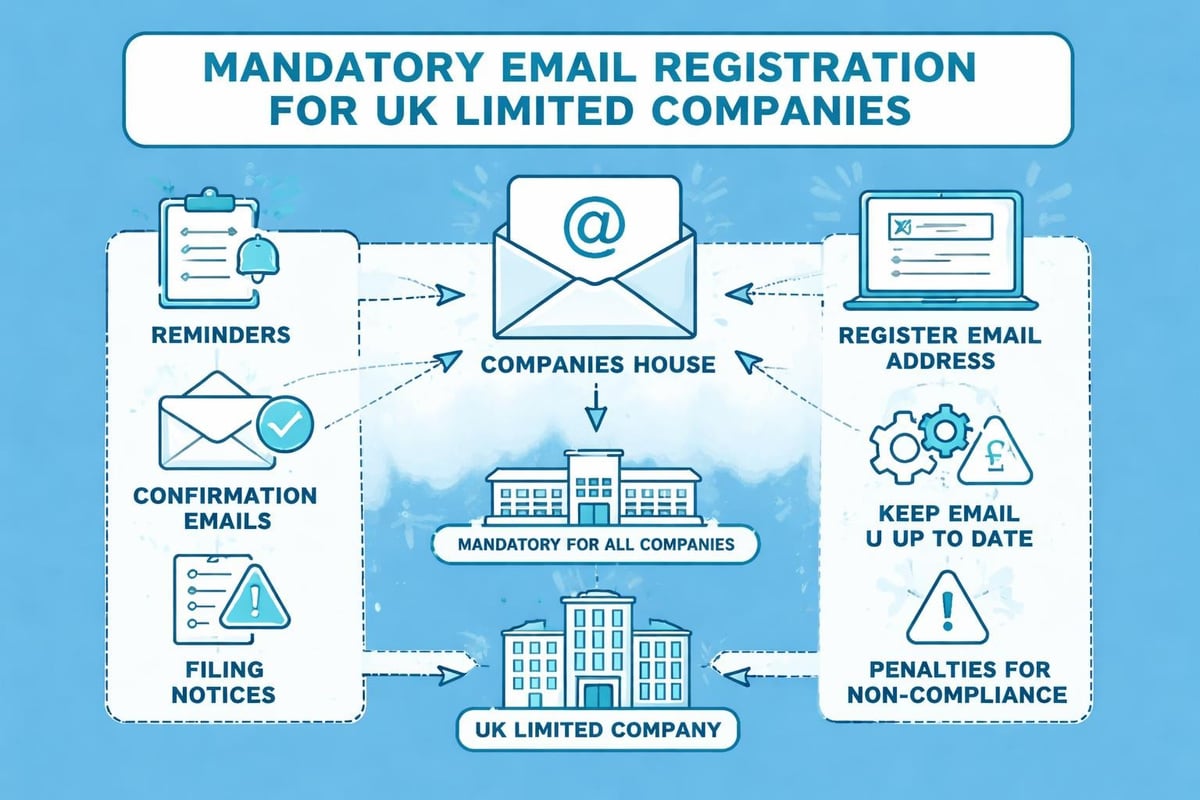
Every UK company must comply with specific legal obligations regarding email communication. Since March 2024, Companies House requires a registered email address from all limited companies, marking a significant shift in business registration requirements. This isn't merely a formality but a legal necessity that ensures Companies House can communicate important information electronically.
Company Registration and Email Obligations
When establishing your business, company formation requirements specify that you must provide valid contact details, including an email address. This registered email receives statutory communications, annual filing reminders, and critical compliance notifications.
Key legal considerations include:
- Providing a monitored email address that someone checks regularly
- Ensuring the email remains active throughout your company's existence
- Updating Companies House promptly if your registered email changes
- Maintaining professional email standards for official correspondence
Website and Email Disclosure Requirements
Beyond registration, your uk business email address must appear in specific contexts. Legal requirements for business websites mandate that certain information be readily accessible to customers and regulatory bodies. Your website must display your registered company address and provide clear contact methods, typically including your business email.
The Companies Act 2006 establishes disclosure obligations that extend to email signatures and business stationery. Every email you send should include:
| Required Information | Example |
|---|---|
| Company Name | Astonish Email Limited |
| Registration Number | 12345678 |
| Registered Address | 123 Business Street, London |
| Place of Registration | England and Wales |
Choosing the Right Domain for Your Business Email
Your domain name forms the foundation of your uk business email address. Rather than using generic providers like Gmail or Yahoo, professional businesses invest in custom domains that reinforce brand identity and build customer trust.
Domain Extension Selection
UK businesses typically choose from several domain extensions, each carrying different connotations:
- .co.uk – The standard choice for UK commercial entities
- .uk – A shorter, modern alternative gaining popularity
- .com – International appeal, though less UK-specific
- .org.uk – Suitable for non-profit organisations
- .net – Alternative for technology businesses
.co.uk domains remain the most trusted option among UK consumers, immediately signalling that your business operates within British jurisdiction. This local credibility matters considerably when building customer relationships, particularly for small businesses competing against larger corporations.
Domain Name Best Practices
Your domain should be memorable, professional, and aligned with your brand. Consider these guidelines when selecting:
Length and simplicity matter. Short domains are easier to remember and less prone to typing errors. Avoid hyphens, numbers, or unusual spellings that require explanation.
Brand consistency strengthens recognition. If your company trades as "Astonish Email," your domain should match this exactly rather than using abbreviations or variations.
Future-proofing prevents complications. Choose a domain broad enough to accommodate business growth without limiting your expansion into new services or markets.
Professional Email Address Structures
The structure of your uk business email address communicates important messages about your organisation's professionalism and size. Small businesses must carefully consider their email naming conventions to project credibility whilst maintaining practical functionality.
Standard Email Formats
Several formats dominate professional business communication:
- [email protected] – Personal and approachable
- [email protected] – Professional and complete
- [email protected] – Function-based (sales@, support@, info@)
- [email protected] – Larger organisation structure
For small businesses, creating a professional email often means balancing personal touch with professional presentation. A sole trader might use [email protected], whilst a growing team benefits from [email protected] for clarity as the organisation expands.
Role-Based Versus Personal Addresses
| Address Type | Advantages | Disadvantages |
|---|---|---|
| Role-based (info@) | Continuity when staff change, clear purpose | Less personal, harder to track accountability |
| Personal (john@) | Direct relationship building, individual accountability | Disruption when employees leave |
| Combined approach | Best of both worlds, flexibility | Requires more addresses to manage |
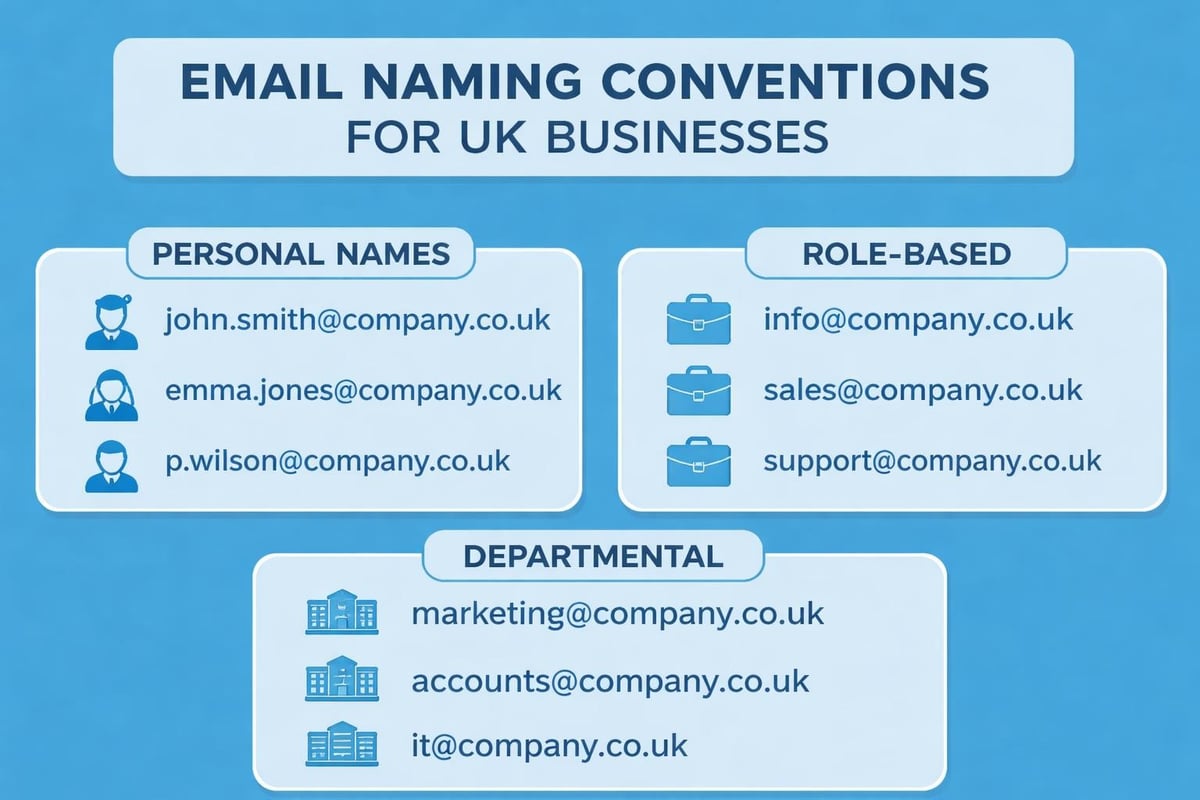
Many successful small businesses implement both approaches. Customer-facing communications use personal addresses to build relationships, whilst [email protected] and [email protected] handle general enquiries and provide continuity.
Setting Up Your UK Business Email Address
Technical setup varies depending on your chosen approach, but several core principles ensure reliability and professionalism. Whether you're setting up a business email for the first time or migrating from a personal account, careful planning prevents common pitfalls.
Email Hosting Options
Dedicated email hosting providers offer robust features specifically designed for business communication. Services typically include generous storage, strong spam filtering, and professional support. Pricing ranges from £3 to £15 monthly per user, representing excellent value for small businesses.
Website hosting packages often bundle email with web hosting, providing convenient all-in-one solutions. Whilst economical, these packages sometimes offer limited email-specific features compared to dedicated providers.
Microsoft 365 and Google Workspace deliver comprehensive business suites including email, cloud storage, and collaboration tools. These premium options suit businesses requiring integrated productivity platforms, though pricing reflects their extensive feature sets.
Configuration and Security
Once you've selected your hosting, proper configuration ensures deliverability and security:
- SPF records authenticate your domain and prevent spoofing
- DKIM signing adds digital signatures verifying message authenticity
- DMARC policies specify how recipients should handle authentication failures
- SSL/TLS encryption protects messages during transmission
These technical elements might seem complex, but most reputable hosts provide straightforward setup guides. Implementing them properly prevents your legitimate business emails from landing in spam folders and protects your domain reputation.
GDPR Compliance and Email Management
Operating a uk business email address carries significant data protection responsibilities. GDPR regulations strictly govern how businesses collect, store, and use customer email addresses, with substantial penalties for non-compliance.
Lawful Basis for Processing
Before adding anyone to your mailing list, you must establish a lawful basis for processing their data. For marketing communications, this typically means obtaining explicit consent through clear opt-in mechanisms. Pre-ticked boxes and assumed consent no longer satisfy legal requirements.
Legitimate interest might justify certain business communications, such as service updates to existing customers. However, this requires careful balancing tests and proper documentation of your reasoning.
Email List Management Responsibilities
Professional email management extends beyond legal compliance to operational best practices:
- Maintain accurate records of consent, including when and how it was obtained
- Provide clear unsubscribe mechanisms in every marketing email
- Process opt-out requests promptly, ideally within 24 hours
- Regularly clean your list, removing inactive subscribers and bounced addresses
- Store email addresses securely with appropriate access controls
Small businesses using platforms like Astonish Email benefit from built-in compliance features that automate many of these requirements, reducing administrative burden whilst ensuring legal conformity.
Email Marketing Integration
Your uk business email address serves dual purposes: individual business correspondence and organisational marketing communications. Understanding this distinction helps small businesses leverage their email infrastructure effectively.
Transactional Versus Marketing Emails
Transactional emails respond to specific customer actions: order confirmations, password resets, shipping notifications. These messages enjoy higher open rates and face fewer regulatory restrictions because recipients expect them.
Marketing emails promote products, share company news, or nurture customer relationships. These require explicit consent and must include clear identification of their promotional nature.
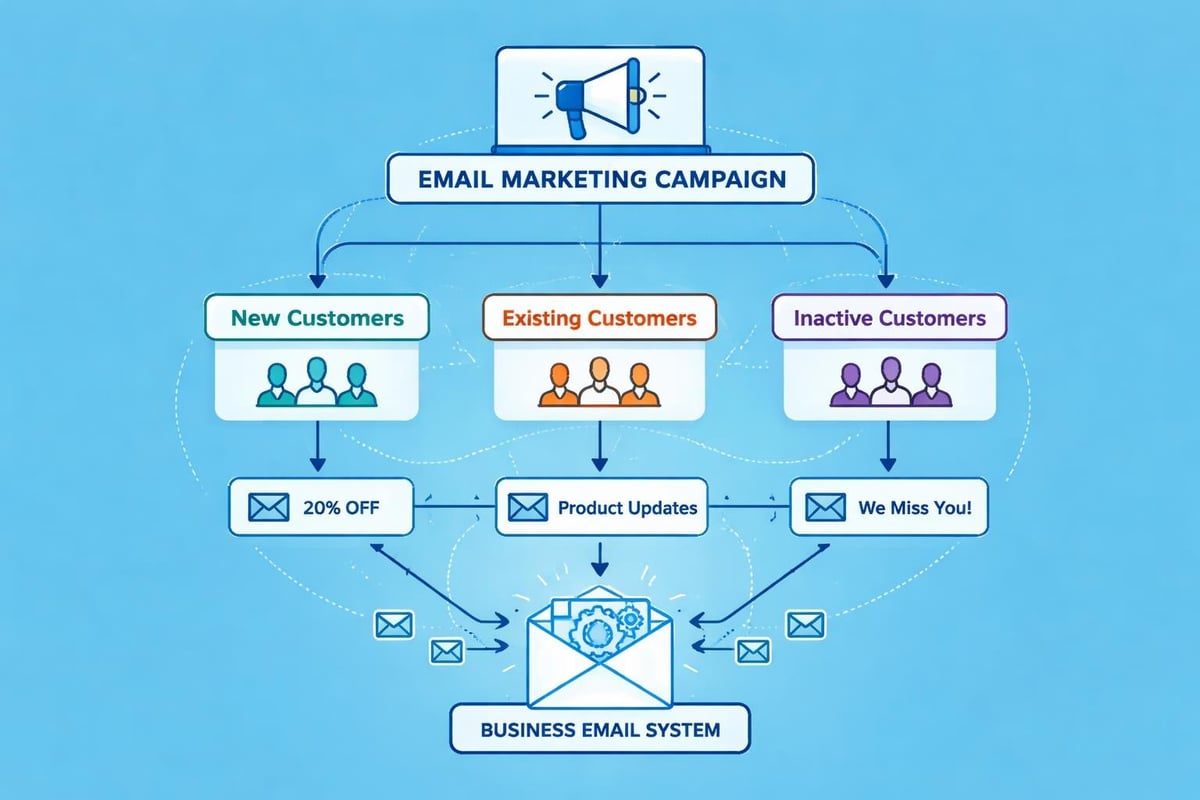
When planning email marketing campaigns, small businesses should segment these communications appropriately. Using [email protected] for transactional emails whilst maintaining [email protected] for promotional content helps recipients understand message context immediately.
Building Your Email Marketing Strategy
Effective email marketing for small businesses requires strategic thinking:
- Segmentation divides your audience into relevant groups based on interests, behaviour, or demographics
- Personalisation extends beyond using first names to delivering genuinely relevant content
- Consistency establishes regular communication patterns without overwhelming recipients
- Value delivery ensures every email provides useful information, not just sales pitches
For small businesses exploring email marketing options, starting simple and scaling gradually proves more sustainable than launching complex campaigns immediately. A monthly newsletter sharing industry insights demonstrates expertise and maintains customer engagement without requiring extensive resources.
Professional Email Practices
Beyond technical setup and legal compliance, using your uk business email address professionally strengthens business relationships and enhances credibility. Small details in email communication significantly impact how customers and partners perceive your organisation.
Email Signature Standards
A comprehensive email signature serves multiple functions: identification, contact provision, and marketing opportunity. Professional signatures include:
Essential elements:
- Full name and job title
- Company name and registration details
- Direct phone number
- Physical business address
- Website URL
Optional additions:
- Professional headshot (use sparingly)
- Social media links (LinkedIn, Twitter for B2B)
- Recent award badges or certifications
- Brief promotional tagline
Avoid cluttering signatures with excessive graphics, lengthy legal disclaimers, or inspirational quotes. Professional simplicity outperforms elaborate designs in business contexts.
Response Time Expectations
UK business culture generally expects email responses within 24 hours during working days. Setting up automatic out-of-office replies during holidays prevents customer frustration and manages expectations appropriately.
For businesses managing email communications, establishing internal response targets ensures consistency. Customer service queries might warrant 4-hour response times, whilst general enquiries can reasonably wait 24 hours.
Cost Considerations for Small Businesses
Budget constraints affect every small business decision, and email infrastructure represents an ongoing operational expense requiring careful evaluation.
Pricing Models Compared
| Solution Type | Typical Cost | Best For |
|---|---|---|
| Basic hosting | £2-5/month per address | Sole traders, minimal email volume |
| Professional provider | £5-12/month per user | Small teams, moderate usage |
| Enterprise suite | £15-25/month per user | Growing businesses, collaboration needs |
| Email marketing platform | £10-50/month | Active marketing campaigns |
Many small businesses benefit from combining approaches: professional email hosting for day-to-day correspondence alongside dedicated email marketing services for customer communications. This separation provides specialised tools for each function whilst maintaining cost efficiency.
Hidden Costs and Considerations
Beyond subscription fees, factor in:
Time investment for setup, configuration, and ongoing management. Technical troubleshooting can consume valuable hours better spent on core business activities.
Training requirements ensure your team uses email systems effectively and safely. Security awareness training prevents phishing attacks and data breaches.
Migration costs when changing providers include technical work and potential downtime. Choosing the right solution initially saves expensive transitions later.
Common Mistakes to Avoid
Small businesses frequently encounter predictable obstacles when establishing their uk business email address infrastructure. Learning from these common errors saves time, money, and professional embarrassment.
Using Free Personal Email Services
Nothing undermines credibility faster than conducting business through [email protected] or [email protected]. Customers instinctively trust businesses investing in professional email infrastructure. The modest cost of a custom domain delivers disproportionate returns in perceived professionalism.
Neglecting Email Security
Small businesses often assume they're too insignificant to attract cyber criminals. This complacency proves dangerous. Implement strong passwords, enable two-factor authentication, and train staff to recognise phishing attempts. One successful attack can compromise customer data, damage reputation, and trigger regulatory penalties.
Inconsistent Email Practices
Team members using different signatures, response times varying wildly, or tone shifting dramatically between representatives creates confusion and unprofessionalism. Establish clear email guidelines covering:
- Standard signature format
- Response time expectations
- Tone and language standards
- Appropriate use of CC and BCC
- File attachment protocols
Ignoring Email Analytics
Business email systems generate valuable data about communication patterns, response rates, and customer engagement. Reviewing these metrics helps optimise processes and identify improvement opportunities. Marketing emails particularly benefit from tracking open rates, click-through rates, and conversion metrics.
Scaling Your Email Infrastructure
As your small business grows, email requirements evolve. Planning for scalability prevents disruptive migrations and maintains communication continuity during expansion phases.
Adding Team Members
Creating new business email accounts should follow established naming conventions and configuration standards. Document your email setup process so new team members receive consistent access and training.
Consider implementing:
- Shared mailboxes for team collaboration on common addresses like info@ or support@
- Email aliases allowing one person to receive mail sent to multiple addresses
- Distribution lists for department-wide communications
- Email forwarding for temporary coverage during absences
Advanced Features Worth Considering
As email volume increases, sophisticated features become valuable:
Email automation triggers responses based on specific conditions, saving time on routine communications whilst maintaining quick customer response.
CRM integration connects your email system with customer relationship management platforms, providing context for every interaction and improving service quality.
Advanced filtering automatically categorises incoming messages, helping team members prioritise urgent communications and manage workflow effectively.
Archiving and retention policies ensure compliance with legal obligations whilst managing storage costs. Different message types require different retention periods based on regulatory requirements and business needs.
Mobile Email Access
Modern business rarely confines itself to desktop computers. Your uk business email address must function seamlessly across devices, enabling responsive communication regardless of location.
Mobile Email Setup
Configure business email on smartphones and tablets using secure protocols. Avoid saving passwords in unsecured apps and enable remote wipe capabilities in case devices are lost or stolen.
IMAP synchronisation ensures consistency across devices. Reading an email on your phone marks it as read on your computer, whilst deleted messages disappear from all devices. This synchronisation prevents confusion and duplicate responses.
Security Considerations for Mobile
Mobile devices present unique security challenges:
- Device encryption protects data if phones are lost or stolen
- App-based authentication provides additional security layers beyond passwords
- VPN usage when accessing email over public Wi-Fi networks
- Separate work profiles on Android devices isolate business data from personal apps
Small businesses must balance accessibility with security. Employees need convenient email access without compromising sensitive business information or customer data.
Future-Proofing Your Email Strategy
Technology evolves rapidly, and email systems must adapt to changing business needs and technical standards. Planning ahead prevents costly reactive changes and maintains competitive advantages.
Emerging Email Technologies
AI-powered email assistants increasingly help businesses manage communications more efficiently. Smart replies, automated categorisation, and priority inbox features save time whilst improving response quality.
Enhanced authentication standards continue evolving to combat phishing and spoofing. Staying current with SPF, DKIM, and DMARC best practices protects your domain reputation and ensures deliverability.
Integration capabilities matter increasingly as businesses adopt diverse software tools. Your email system should connect smoothly with accounting software, project management platforms, and customer service tools.
Preparing for Growth
Even if you're currently a sole trader, consider how email requirements might change:
- Will you hire employees requiring additional addresses?
- Might you expand into multiple business divisions needing separate branding?
- Could you acquire or merge with other businesses, necessitating email consolidation?
- Do international expansion plans require multi-regional email infrastructure?
Choosing flexible email solutions accommodates growth without forcing disruptive migrations. Getting a business email address that scales with your ambitions proves more economical than repeatedly changing providers as your needs evolve.
Establishing a professional uk business email address represents a fundamental investment in your company's credibility, legal compliance, and communication effectiveness. From understanding registration requirements to implementing GDPR-compliant practices, every aspect contributes to building trust with customers and partners. Whether you're just starting out or refining existing email infrastructure, the right approach combines technical reliability with professional presentation. Astonish Email helps small businesses navigate these complexities with straightforward email marketing solutions designed specifically for UK businesses, enabling you to focus on growth whilst maintaining professional communication standards.